close
Error message
Warning : Undefined array key "format" in template_preprocess_template_content__tabs() (line 131 of modules/custom/templated_content/templated_content.module ).template_preprocess_template_content__tabs()
call_user_func_array() (Line: 316)
Drupal\Core\Theme\ThemeManager->Drupal\Core\Theme\{closure}() (Line: 340)
Drupal\Core\Theme\ThemeManager->render() (Line: 504)
Drupal\Core\Render\Renderer->doRender() (Line: 517)
Drupal\Core\Render\Renderer->doRender() (Line: 517)
Drupal\Core\Render\Renderer->doRender() (Line: 517)
Drupal\Core\Render\Renderer->doRender() (Line: 230)
Drupal\Core\Render\Renderer->render() (Line: 242)
Drupal\Core\Render\MainContent\HtmlRenderer->Drupal\Core\Render\MainContent\{closure}() (Line: 638)
Drupal\Core\Render\Renderer::Drupal\Core\Render\{closure}()
Fiber->resume() (Line: 653)
Drupal\Core\Render\Renderer->executeInRenderContext() (Line: 235)
Drupal\Core\Render\MainContent\HtmlRenderer->prepare() (Line: 131)
Drupal\Core\Render\MainContent\HtmlRenderer->renderResponse() (Line: 69)
Drupal\Core\EventSubscriber\MainContentViewSubscriber->onViewRenderArray() (Line: 254)
Symfony\Component\EventDispatcher\EventDispatcher::Symfony\Component\EventDispatcher\{closure}() (Line: 206)
Symfony\Component\EventDispatcher\EventDispatcher->callListeners() (Line: 56)
Symfony\Component\EventDispatcher\EventDispatcher->dispatch() (Line: 190)
Symfony\Component\HttpKernel\HttpKernel->handleRaw() (Line: 76)
Symfony\Component\HttpKernel\HttpKernel->handle() (Line: 53)
Drupal\Core\StackMiddleware\Session->handle() (Line: 30)
Drupal\Core\StackMiddleware\KernelPreHandle->handle() (Line: 28)
Drupal\Core\StackMiddleware\ContentLength->handle() (Line: 203)
Drupal\page_cache\StackMiddleware\PageCache->fetch() (Line: 140)
Drupal\page_cache\StackMiddleware\PageCache->lookup() (Line: 89)
Drupal\page_cache\StackMiddleware\PageCache->handle() (Line: 48)
Drupal\Core\StackMiddleware\ReverseProxyMiddleware->handle() (Line: 51)
Drupal\Core\StackMiddleware\NegotiationMiddleware->handle() (Line: 71)
Drupal\Core\StackMiddleware\AjaxPageState->handle() (Line: 54)
Drupal\Core\StackMiddleware\StackedHttpKernel->handle() (Line: 753)
Drupal\Core\DrupalKernel->handle() (Line: 34)
Symfony\Component\Runtime\Runner\Symfony\HttpKernelRunner->run() (Line: 32)
require() (Line: 22)
require_once() (Line: 13)
Deprecated function : str_replace(): Passing null to parameter #3 ($subject) of type array|string is deprecated in Drupal\filter\Element\ProcessedText::preRenderText() (line 105 of core/modules/filter/src/Element/ProcessedText.php ).Drupal\filter\Element\ProcessedText::preRenderText()
call_user_func_array() (Line: 107)
Drupal\Core\Render\Renderer->doTrustedCallback() (Line: 914)
Drupal\Core\Render\Renderer->doCallback() (Line: 447)
Drupal\Core\Render\Renderer->doRender() (Line: 253)
Drupal\Core\Render\Renderer->doRenderRoot() (Line: 143)
Drupal\Core\Render\Renderer->Drupal\Core\Render\{closure}() (Line: 638)
Drupal\Core\Render\Renderer::Drupal\Core\Render\{closure}()
Fiber->resume() (Line: 653)
Drupal\Core\Render\Renderer->executeInRenderContext() (Line: 142)
Drupal\Core\Render\Renderer->renderInIsolation() (Line: 226)
check_markup() (Line: 181)
templated_content_preprocess_template_content__tabs() (Line: 354)
Drupal\Core\Extension\ModuleHandler->invoke() (Line: 311)
Drupal\Core\Theme\ThemeManager->Drupal\Core\Theme\{closure}() (Line: 340)
Drupal\Core\Theme\ThemeManager->render() (Line: 504)
Drupal\Core\Render\Renderer->doRender() (Line: 517)
Drupal\Core\Render\Renderer->doRender() (Line: 517)
Drupal\Core\Render\Renderer->doRender() (Line: 517)
Drupal\Core\Render\Renderer->doRender() (Line: 230)
Drupal\Core\Render\Renderer->render() (Line: 242)
Drupal\Core\Render\MainContent\HtmlRenderer->Drupal\Core\Render\MainContent\{closure}() (Line: 638)
Drupal\Core\Render\Renderer::Drupal\Core\Render\{closure}()
Fiber->resume() (Line: 653)
Drupal\Core\Render\Renderer->executeInRenderContext() (Line: 235)
Drupal\Core\Render\MainContent\HtmlRenderer->prepare() (Line: 131)
Drupal\Core\Render\MainContent\HtmlRenderer->renderResponse() (Line: 69)
Drupal\Core\EventSubscriber\MainContentViewSubscriber->onViewRenderArray() (Line: 254)
Symfony\Component\EventDispatcher\EventDispatcher::Symfony\Component\EventDispatcher\{closure}() (Line: 206)
Symfony\Component\EventDispatcher\EventDispatcher->callListeners() (Line: 56)
Symfony\Component\EventDispatcher\EventDispatcher->dispatch() (Line: 190)
Symfony\Component\HttpKernel\HttpKernel->handleRaw() (Line: 76)
Symfony\Component\HttpKernel\HttpKernel->handle() (Line: 53)
Drupal\Core\StackMiddleware\Session->handle() (Line: 30)
Drupal\Core\StackMiddleware\KernelPreHandle->handle() (Line: 28)
Drupal\Core\StackMiddleware\ContentLength->handle() (Line: 203)
Drupal\page_cache\StackMiddleware\PageCache->fetch() (Line: 140)
Drupal\page_cache\StackMiddleware\PageCache->lookup() (Line: 89)
Drupal\page_cache\StackMiddleware\PageCache->handle() (Line: 48)
Drupal\Core\StackMiddleware\ReverseProxyMiddleware->handle() (Line: 51)
Drupal\Core\StackMiddleware\NegotiationMiddleware->handle() (Line: 71)
Drupal\Core\StackMiddleware\AjaxPageState->handle() (Line: 54)
Drupal\Core\StackMiddleware\StackedHttpKernel->handle() (Line: 753)
Drupal\Core\DrupalKernel->handle() (Line: 34)
Symfony\Component\Runtime\Runner\Symfony\HttpKernelRunner->run() (Line: 32)
require() (Line: 22)
require_once() (Line: 13)
Warning : Undefined array key "format" in template_preprocess_template_content__tabs() (line 131 of modules/custom/templated_content/templated_content.module ).template_preprocess_template_content__tabs()
call_user_func_array() (Line: 316)
Drupal\Core\Theme\ThemeManager->Drupal\Core\Theme\{closure}() (Line: 340)
Drupal\Core\Theme\ThemeManager->render() (Line: 504)
Drupal\Core\Render\Renderer->doRender() (Line: 517)
Drupal\Core\Render\Renderer->doRender() (Line: 517)
Drupal\Core\Render\Renderer->doRender() (Line: 517)
Drupal\Core\Render\Renderer->doRender() (Line: 230)
Drupal\Core\Render\Renderer->render() (Line: 242)
Drupal\Core\Render\MainContent\HtmlRenderer->Drupal\Core\Render\MainContent\{closure}() (Line: 638)
Drupal\Core\Render\Renderer::Drupal\Core\Render\{closure}()
Fiber->resume() (Line: 653)
Drupal\Core\Render\Renderer->executeInRenderContext() (Line: 235)
Drupal\Core\Render\MainContent\HtmlRenderer->prepare() (Line: 131)
Drupal\Core\Render\MainContent\HtmlRenderer->renderResponse() (Line: 69)
Drupal\Core\EventSubscriber\MainContentViewSubscriber->onViewRenderArray() (Line: 254)
Symfony\Component\EventDispatcher\EventDispatcher::Symfony\Component\EventDispatcher\{closure}() (Line: 206)
Symfony\Component\EventDispatcher\EventDispatcher->callListeners() (Line: 56)
Symfony\Component\EventDispatcher\EventDispatcher->dispatch() (Line: 190)
Symfony\Component\HttpKernel\HttpKernel->handleRaw() (Line: 76)
Symfony\Component\HttpKernel\HttpKernel->handle() (Line: 53)
Drupal\Core\StackMiddleware\Session->handle() (Line: 30)
Drupal\Core\StackMiddleware\KernelPreHandle->handle() (Line: 28)
Drupal\Core\StackMiddleware\ContentLength->handle() (Line: 203)
Drupal\page_cache\StackMiddleware\PageCache->fetch() (Line: 140)
Drupal\page_cache\StackMiddleware\PageCache->lookup() (Line: 89)
Drupal\page_cache\StackMiddleware\PageCache->handle() (Line: 48)
Drupal\Core\StackMiddleware\ReverseProxyMiddleware->handle() (Line: 51)
Drupal\Core\StackMiddleware\NegotiationMiddleware->handle() (Line: 71)
Drupal\Core\StackMiddleware\AjaxPageState->handle() (Line: 54)
Drupal\Core\StackMiddleware\StackedHttpKernel->handle() (Line: 753)
Drupal\Core\DrupalKernel->handle() (Line: 34)
Symfony\Component\Runtime\Runner\Symfony\HttpKernelRunner->run() (Line: 32)
require() (Line: 22)
require_once() (Line: 13)
Warning : Undefined array key "format" in template_preprocess_template_content__tabs() (line 131 of modules/custom/templated_content/templated_content.module ).template_preprocess_template_content__tabs()
call_user_func_array() (Line: 316)
Drupal\Core\Theme\ThemeManager->Drupal\Core\Theme\{closure}() (Line: 340)
Drupal\Core\Theme\ThemeManager->render() (Line: 504)
Drupal\Core\Render\Renderer->doRender() (Line: 517)
Drupal\Core\Render\Renderer->doRender() (Line: 517)
Drupal\Core\Render\Renderer->doRender() (Line: 517)
Drupal\Core\Render\Renderer->doRender() (Line: 230)
Drupal\Core\Render\Renderer->render() (Line: 242)
Drupal\Core\Render\MainContent\HtmlRenderer->Drupal\Core\Render\MainContent\{closure}() (Line: 638)
Drupal\Core\Render\Renderer::Drupal\Core\Render\{closure}()
Fiber->resume() (Line: 653)
Drupal\Core\Render\Renderer->executeInRenderContext() (Line: 235)
Drupal\Core\Render\MainContent\HtmlRenderer->prepare() (Line: 131)
Drupal\Core\Render\MainContent\HtmlRenderer->renderResponse() (Line: 69)
Drupal\Core\EventSubscriber\MainContentViewSubscriber->onViewRenderArray() (Line: 254)
Symfony\Component\EventDispatcher\EventDispatcher::Symfony\Component\EventDispatcher\{closure}() (Line: 206)
Symfony\Component\EventDispatcher\EventDispatcher->callListeners() (Line: 56)
Symfony\Component\EventDispatcher\EventDispatcher->dispatch() (Line: 190)
Symfony\Component\HttpKernel\HttpKernel->handleRaw() (Line: 76)
Symfony\Component\HttpKernel\HttpKernel->handle() (Line: 53)
Drupal\Core\StackMiddleware\Session->handle() (Line: 30)
Drupal\Core\StackMiddleware\KernelPreHandle->handle() (Line: 28)
Drupal\Core\StackMiddleware\ContentLength->handle() (Line: 203)
Drupal\page_cache\StackMiddleware\PageCache->fetch() (Line: 140)
Drupal\page_cache\StackMiddleware\PageCache->lookup() (Line: 89)
Drupal\page_cache\StackMiddleware\PageCache->handle() (Line: 48)
Drupal\Core\StackMiddleware\ReverseProxyMiddleware->handle() (Line: 51)
Drupal\Core\StackMiddleware\NegotiationMiddleware->handle() (Line: 71)
Drupal\Core\StackMiddleware\AjaxPageState->handle() (Line: 54)
Drupal\Core\StackMiddleware\StackedHttpKernel->handle() (Line: 753)
Drupal\Core\DrupalKernel->handle() (Line: 34)
Symfony\Component\Runtime\Runner\Symfony\HttpKernelRunner->run() (Line: 32)
require() (Line: 22)
require_once() (Line: 13)
Deprecated function : str_replace(): Passing null to parameter #3 ($subject) of type array|string is deprecated in Drupal\filter\Element\ProcessedText::preRenderText() (line 105 of core/modules/filter/src/Element/ProcessedText.php ).Drupal\filter\Element\ProcessedText::preRenderText()
call_user_func_array() (Line: 107)
Drupal\Core\Render\Renderer->doTrustedCallback() (Line: 914)
Drupal\Core\Render\Renderer->doCallback() (Line: 447)
Drupal\Core\Render\Renderer->doRender() (Line: 253)
Drupal\Core\Render\Renderer->doRenderRoot() (Line: 143)
Drupal\Core\Render\Renderer->Drupal\Core\Render\{closure}() (Line: 638)
Drupal\Core\Render\Renderer::Drupal\Core\Render\{closure}()
Fiber->start() (Line: 639)
Drupal\Core\Render\Renderer->executeInRenderContext() (Line: 142)
Drupal\Core\Render\Renderer->renderInIsolation() (Line: 226)
check_markup() (Line: 181)
templated_content_preprocess_template_content__tabs() (Line: 354)
Drupal\Core\Extension\ModuleHandler->invoke() (Line: 311)
Drupal\Core\Theme\ThemeManager->Drupal\Core\Theme\{closure}() (Line: 340)
Drupal\Core\Theme\ThemeManager->render() (Line: 504)
Drupal\Core\Render\Renderer->doRender() (Line: 517)
Drupal\Core\Render\Renderer->doRender() (Line: 517)
Drupal\Core\Render\Renderer->doRender() (Line: 517)
Drupal\Core\Render\Renderer->doRender() (Line: 230)
Drupal\Core\Render\Renderer->render() (Line: 242)
Drupal\Core\Render\MainContent\HtmlRenderer->Drupal\Core\Render\MainContent\{closure}() (Line: 638)
Drupal\Core\Render\Renderer::Drupal\Core\Render\{closure}()
Fiber->resume() (Line: 653)
Drupal\Core\Render\Renderer->executeInRenderContext() (Line: 235)
Drupal\Core\Render\MainContent\HtmlRenderer->prepare() (Line: 131)
Drupal\Core\Render\MainContent\HtmlRenderer->renderResponse() (Line: 69)
Drupal\Core\EventSubscriber\MainContentViewSubscriber->onViewRenderArray() (Line: 254)
Symfony\Component\EventDispatcher\EventDispatcher::Symfony\Component\EventDispatcher\{closure}() (Line: 206)
Symfony\Component\EventDispatcher\EventDispatcher->callListeners() (Line: 56)
Symfony\Component\EventDispatcher\EventDispatcher->dispatch() (Line: 190)
Symfony\Component\HttpKernel\HttpKernel->handleRaw() (Line: 76)
Symfony\Component\HttpKernel\HttpKernel->handle() (Line: 53)
Drupal\Core\StackMiddleware\Session->handle() (Line: 30)
Drupal\Core\StackMiddleware\KernelPreHandle->handle() (Line: 28)
Drupal\Core\StackMiddleware\ContentLength->handle() (Line: 203)
Drupal\page_cache\StackMiddleware\PageCache->fetch() (Line: 140)
Drupal\page_cache\StackMiddleware\PageCache->lookup() (Line: 89)
Drupal\page_cache\StackMiddleware\PageCache->handle() (Line: 48)
Drupal\Core\StackMiddleware\ReverseProxyMiddleware->handle() (Line: 51)
Drupal\Core\StackMiddleware\NegotiationMiddleware->handle() (Line: 71)
Drupal\Core\StackMiddleware\AjaxPageState->handle() (Line: 54)
Drupal\Core\StackMiddleware\StackedHttpKernel->handle() (Line: 753)
Drupal\Core\DrupalKernel->handle() (Line: 34)
Symfony\Component\Runtime\Runner\Symfony\HttpKernelRunner->run() (Line: 32)
require() (Line: 22)
require_once() (Line: 13)
Deprecated function : str_replace(): Passing null to parameter #3 ($subject) of type array|string is deprecated in Drupal\filter\Element\ProcessedText::preRenderText() (line 105 of core/modules/filter/src/Element/ProcessedText.php ).Drupal\filter\Element\ProcessedText::preRenderText()
call_user_func_array() (Line: 107)
Drupal\Core\Render\Renderer->doTrustedCallback() (Line: 914)
Drupal\Core\Render\Renderer->doCallback() (Line: 447)
Drupal\Core\Render\Renderer->doRender() (Line: 253)
Drupal\Core\Render\Renderer->doRenderRoot() (Line: 143)
Drupal\Core\Render\Renderer->Drupal\Core\Render\{closure}() (Line: 638)
Drupal\Core\Render\Renderer::Drupal\Core\Render\{closure}()
Fiber->start() (Line: 639)
Drupal\Core\Render\Renderer->executeInRenderContext() (Line: 142)
Drupal\Core\Render\Renderer->renderInIsolation() (Line: 226)
check_markup() (Line: 181)
templated_content_preprocess_template_content__tabs() (Line: 354)
Drupal\Core\Extension\ModuleHandler->invoke() (Line: 311)
Drupal\Core\Theme\ThemeManager->Drupal\Core\Theme\{closure}() (Line: 340)
Drupal\Core\Theme\ThemeManager->render() (Line: 504)
Drupal\Core\Render\Renderer->doRender() (Line: 517)
Drupal\Core\Render\Renderer->doRender() (Line: 517)
Drupal\Core\Render\Renderer->doRender() (Line: 517)
Drupal\Core\Render\Renderer->doRender() (Line: 230)
Drupal\Core\Render\Renderer->render() (Line: 242)
Drupal\Core\Render\MainContent\HtmlRenderer->Drupal\Core\Render\MainContent\{closure}() (Line: 638)
Drupal\Core\Render\Renderer::Drupal\Core\Render\{closure}()
Fiber->resume() (Line: 653)
Drupal\Core\Render\Renderer->executeInRenderContext() (Line: 235)
Drupal\Core\Render\MainContent\HtmlRenderer->prepare() (Line: 131)
Drupal\Core\Render\MainContent\HtmlRenderer->renderResponse() (Line: 69)
Drupal\Core\EventSubscriber\MainContentViewSubscriber->onViewRenderArray() (Line: 254)
Symfony\Component\EventDispatcher\EventDispatcher::Symfony\Component\EventDispatcher\{closure}() (Line: 206)
Symfony\Component\EventDispatcher\EventDispatcher->callListeners() (Line: 56)
Symfony\Component\EventDispatcher\EventDispatcher->dispatch() (Line: 190)
Symfony\Component\HttpKernel\HttpKernel->handleRaw() (Line: 76)
Symfony\Component\HttpKernel\HttpKernel->handle() (Line: 53)
Drupal\Core\StackMiddleware\Session->handle() (Line: 30)
Drupal\Core\StackMiddleware\KernelPreHandle->handle() (Line: 28)
Drupal\Core\StackMiddleware\ContentLength->handle() (Line: 203)
Drupal\page_cache\StackMiddleware\PageCache->fetch() (Line: 140)
Drupal\page_cache\StackMiddleware\PageCache->lookup() (Line: 89)
Drupal\page_cache\StackMiddleware\PageCache->handle() (Line: 48)
Drupal\Core\StackMiddleware\ReverseProxyMiddleware->handle() (Line: 51)
Drupal\Core\StackMiddleware\NegotiationMiddleware->handle() (Line: 71)
Drupal\Core\StackMiddleware\AjaxPageState->handle() (Line: 54)
Drupal\Core\StackMiddleware\StackedHttpKernel->handle() (Line: 753)
Drupal\Core\DrupalKernel->handle() (Line: 34)
Symfony\Component\Runtime\Runner\Symfony\HttpKernelRunner->run() (Line: 32)
require() (Line: 22)
require_once() (Line: 13)
Warning : Undefined array key "format" in template_preprocess_template_content__accordion() (line 106 of modules/custom/templated_content/templated_content.module ).template_preprocess_template_content__accordion()
call_user_func_array() (Line: 316)
Drupal\Core\Theme\ThemeManager->Drupal\Core\Theme\{closure}() (Line: 340)
Drupal\Core\Theme\ThemeManager->render() (Line: 504)
Drupal\Core\Render\Renderer->doRender() (Line: 517)
Drupal\Core\Render\Renderer->doRender() (Line: 517)
Drupal\Core\Render\Renderer->doRender() (Line: 517)
Drupal\Core\Render\Renderer->doRender() (Line: 230)
Drupal\Core\Render\Renderer->render() (Line: 242)
Drupal\Core\Render\MainContent\HtmlRenderer->Drupal\Core\Render\MainContent\{closure}() (Line: 638)
Drupal\Core\Render\Renderer::Drupal\Core\Render\{closure}()
Fiber->resume() (Line: 653)
Drupal\Core\Render\Renderer->executeInRenderContext() (Line: 235)
Drupal\Core\Render\MainContent\HtmlRenderer->prepare() (Line: 131)
Drupal\Core\Render\MainContent\HtmlRenderer->renderResponse() (Line: 69)
Drupal\Core\EventSubscriber\MainContentViewSubscriber->onViewRenderArray() (Line: 254)
Symfony\Component\EventDispatcher\EventDispatcher::Symfony\Component\EventDispatcher\{closure}() (Line: 206)
Symfony\Component\EventDispatcher\EventDispatcher->callListeners() (Line: 56)
Symfony\Component\EventDispatcher\EventDispatcher->dispatch() (Line: 190)
Symfony\Component\HttpKernel\HttpKernel->handleRaw() (Line: 76)
Symfony\Component\HttpKernel\HttpKernel->handle() (Line: 53)
Drupal\Core\StackMiddleware\Session->handle() (Line: 30)
Drupal\Core\StackMiddleware\KernelPreHandle->handle() (Line: 28)
Drupal\Core\StackMiddleware\ContentLength->handle() (Line: 203)
Drupal\page_cache\StackMiddleware\PageCache->fetch() (Line: 140)
Drupal\page_cache\StackMiddleware\PageCache->lookup() (Line: 89)
Drupal\page_cache\StackMiddleware\PageCache->handle() (Line: 48)
Drupal\Core\StackMiddleware\ReverseProxyMiddleware->handle() (Line: 51)
Drupal\Core\StackMiddleware\NegotiationMiddleware->handle() (Line: 71)
Drupal\Core\StackMiddleware\AjaxPageState->handle() (Line: 54)
Drupal\Core\StackMiddleware\StackedHttpKernel->handle() (Line: 753)
Drupal\Core\DrupalKernel->handle() (Line: 34)
Symfony\Component\Runtime\Runner\Symfony\HttpKernelRunner->run() (Line: 32)
require() (Line: 22)
require_once() (Line: 13)
Deprecated function : str_replace(): Passing null to parameter #3 ($subject) of type array|string is deprecated in Drupal\filter\Element\ProcessedText::preRenderText() (line 105 of core/modules/filter/src/Element/ProcessedText.php ).Drupal\filter\Element\ProcessedText::preRenderText()
call_user_func_array() (Line: 107)
Drupal\Core\Render\Renderer->doTrustedCallback() (Line: 914)
Drupal\Core\Render\Renderer->doCallback() (Line: 447)
Drupal\Core\Render\Renderer->doRender() (Line: 253)
Drupal\Core\Render\Renderer->doRenderRoot() (Line: 143)
Drupal\Core\Render\Renderer->Drupal\Core\Render\{closure}() (Line: 638)
Drupal\Core\Render\Renderer::Drupal\Core\Render\{closure}()
Fiber->start() (Line: 639)
Drupal\Core\Render\Renderer->executeInRenderContext() (Line: 142)
Drupal\Core\Render\Renderer->renderInIsolation() (Line: 226)
check_markup() (Line: 197)
templated_content_preprocess_template_content__accordion() (Line: 354)
Drupal\Core\Extension\ModuleHandler->invoke() (Line: 311)
Drupal\Core\Theme\ThemeManager->Drupal\Core\Theme\{closure}() (Line: 340)
Drupal\Core\Theme\ThemeManager->render() (Line: 504)
Drupal\Core\Render\Renderer->doRender() (Line: 517)
Drupal\Core\Render\Renderer->doRender() (Line: 517)
Drupal\Core\Render\Renderer->doRender() (Line: 517)
Drupal\Core\Render\Renderer->doRender() (Line: 230)
Drupal\Core\Render\Renderer->render() (Line: 242)
Drupal\Core\Render\MainContent\HtmlRenderer->Drupal\Core\Render\MainContent\{closure}() (Line: 638)
Drupal\Core\Render\Renderer::Drupal\Core\Render\{closure}()
Fiber->resume() (Line: 653)
Drupal\Core\Render\Renderer->executeInRenderContext() (Line: 235)
Drupal\Core\Render\MainContent\HtmlRenderer->prepare() (Line: 131)
Drupal\Core\Render\MainContent\HtmlRenderer->renderResponse() (Line: 69)
Drupal\Core\EventSubscriber\MainContentViewSubscriber->onViewRenderArray() (Line: 254)
Symfony\Component\EventDispatcher\EventDispatcher::Symfony\Component\EventDispatcher\{closure}() (Line: 206)
Symfony\Component\EventDispatcher\EventDispatcher->callListeners() (Line: 56)
Symfony\Component\EventDispatcher\EventDispatcher->dispatch() (Line: 190)
Symfony\Component\HttpKernel\HttpKernel->handleRaw() (Line: 76)
Symfony\Component\HttpKernel\HttpKernel->handle() (Line: 53)
Drupal\Core\StackMiddleware\Session->handle() (Line: 30)
Drupal\Core\StackMiddleware\KernelPreHandle->handle() (Line: 28)
Drupal\Core\StackMiddleware\ContentLength->handle() (Line: 203)
Drupal\page_cache\StackMiddleware\PageCache->fetch() (Line: 140)
Drupal\page_cache\StackMiddleware\PageCache->lookup() (Line: 89)
Drupal\page_cache\StackMiddleware\PageCache->handle() (Line: 48)
Drupal\Core\StackMiddleware\ReverseProxyMiddleware->handle() (Line: 51)
Drupal\Core\StackMiddleware\NegotiationMiddleware->handle() (Line: 71)
Drupal\Core\StackMiddleware\AjaxPageState->handle() (Line: 54)
Drupal\Core\StackMiddleware\StackedHttpKernel->handle() (Line: 753)
Drupal\Core\DrupalKernel->handle() (Line: 34)
Symfony\Component\Runtime\Runner\Symfony\HttpKernelRunner->run() (Line: 32)
require() (Line: 22)
require_once() (Line: 13)
Warning : Undefined array key "format" in template_preprocess_template_content__accordion() (line 106 of modules/custom/templated_content/templated_content.module ).template_preprocess_template_content__accordion()
call_user_func_array() (Line: 316)
Drupal\Core\Theme\ThemeManager->Drupal\Core\Theme\{closure}() (Line: 340)
Drupal\Core\Theme\ThemeManager->render() (Line: 504)
Drupal\Core\Render\Renderer->doRender() (Line: 517)
Drupal\Core\Render\Renderer->doRender() (Line: 517)
Drupal\Core\Render\Renderer->doRender() (Line: 517)
Drupal\Core\Render\Renderer->doRender() (Line: 230)
Drupal\Core\Render\Renderer->render() (Line: 242)
Drupal\Core\Render\MainContent\HtmlRenderer->Drupal\Core\Render\MainContent\{closure}() (Line: 638)
Drupal\Core\Render\Renderer::Drupal\Core\Render\{closure}()
Fiber->resume() (Line: 653)
Drupal\Core\Render\Renderer->executeInRenderContext() (Line: 235)
Drupal\Core\Render\MainContent\HtmlRenderer->prepare() (Line: 131)
Drupal\Core\Render\MainContent\HtmlRenderer->renderResponse() (Line: 69)
Drupal\Core\EventSubscriber\MainContentViewSubscriber->onViewRenderArray() (Line: 254)
Symfony\Component\EventDispatcher\EventDispatcher::Symfony\Component\EventDispatcher\{closure}() (Line: 206)
Symfony\Component\EventDispatcher\EventDispatcher->callListeners() (Line: 56)
Symfony\Component\EventDispatcher\EventDispatcher->dispatch() (Line: 190)
Symfony\Component\HttpKernel\HttpKernel->handleRaw() (Line: 76)
Symfony\Component\HttpKernel\HttpKernel->handle() (Line: 53)
Drupal\Core\StackMiddleware\Session->handle() (Line: 30)
Drupal\Core\StackMiddleware\KernelPreHandle->handle() (Line: 28)
Drupal\Core\StackMiddleware\ContentLength->handle() (Line: 203)
Drupal\page_cache\StackMiddleware\PageCache->fetch() (Line: 140)
Drupal\page_cache\StackMiddleware\PageCache->lookup() (Line: 89)
Drupal\page_cache\StackMiddleware\PageCache->handle() (Line: 48)
Drupal\Core\StackMiddleware\ReverseProxyMiddleware->handle() (Line: 51)
Drupal\Core\StackMiddleware\NegotiationMiddleware->handle() (Line: 71)
Drupal\Core\StackMiddleware\AjaxPageState->handle() (Line: 54)
Drupal\Core\StackMiddleware\StackedHttpKernel->handle() (Line: 753)
Drupal\Core\DrupalKernel->handle() (Line: 34)
Symfony\Component\Runtime\Runner\Symfony\HttpKernelRunner->run() (Line: 32)
require() (Line: 22)
require_once() (Line: 13)
Warning : Undefined array key "format" in template_preprocess_template_content__accordion() (line 106 of modules/custom/templated_content/templated_content.module ).template_preprocess_template_content__accordion()
call_user_func_array() (Line: 316)
Drupal\Core\Theme\ThemeManager->Drupal\Core\Theme\{closure}() (Line: 340)
Drupal\Core\Theme\ThemeManager->render() (Line: 504)
Drupal\Core\Render\Renderer->doRender() (Line: 517)
Drupal\Core\Render\Renderer->doRender() (Line: 517)
Drupal\Core\Render\Renderer->doRender() (Line: 517)
Drupal\Core\Render\Renderer->doRender() (Line: 230)
Drupal\Core\Render\Renderer->render() (Line: 242)
Drupal\Core\Render\MainContent\HtmlRenderer->Drupal\Core\Render\MainContent\{closure}() (Line: 638)
Drupal\Core\Render\Renderer::Drupal\Core\Render\{closure}()
Fiber->resume() (Line: 653)
Drupal\Core\Render\Renderer->executeInRenderContext() (Line: 235)
Drupal\Core\Render\MainContent\HtmlRenderer->prepare() (Line: 131)
Drupal\Core\Render\MainContent\HtmlRenderer->renderResponse() (Line: 69)
Drupal\Core\EventSubscriber\MainContentViewSubscriber->onViewRenderArray() (Line: 254)
Symfony\Component\EventDispatcher\EventDispatcher::Symfony\Component\EventDispatcher\{closure}() (Line: 206)
Symfony\Component\EventDispatcher\EventDispatcher->callListeners() (Line: 56)
Symfony\Component\EventDispatcher\EventDispatcher->dispatch() (Line: 190)
Symfony\Component\HttpKernel\HttpKernel->handleRaw() (Line: 76)
Symfony\Component\HttpKernel\HttpKernel->handle() (Line: 53)
Drupal\Core\StackMiddleware\Session->handle() (Line: 30)
Drupal\Core\StackMiddleware\KernelPreHandle->handle() (Line: 28)
Drupal\Core\StackMiddleware\ContentLength->handle() (Line: 203)
Drupal\page_cache\StackMiddleware\PageCache->fetch() (Line: 140)
Drupal\page_cache\StackMiddleware\PageCache->lookup() (Line: 89)
Drupal\page_cache\StackMiddleware\PageCache->handle() (Line: 48)
Drupal\Core\StackMiddleware\ReverseProxyMiddleware->handle() (Line: 51)
Drupal\Core\StackMiddleware\NegotiationMiddleware->handle() (Line: 71)
Drupal\Core\StackMiddleware\AjaxPageState->handle() (Line: 54)
Drupal\Core\StackMiddleware\StackedHttpKernel->handle() (Line: 753)
Drupal\Core\DrupalKernel->handle() (Line: 34)
Symfony\Component\Runtime\Runner\Symfony\HttpKernelRunner->run() (Line: 32)
require() (Line: 22)
require_once() (Line: 13)
Deprecated function : str_replace(): Passing null to parameter #3 ($subject) of type array|string is deprecated in Drupal\filter\Element\ProcessedText::preRenderText() (line 105 of core/modules/filter/src/Element/ProcessedText.php ).Drupal\filter\Element\ProcessedText::preRenderText()
call_user_func_array() (Line: 107)
Drupal\Core\Render\Renderer->doTrustedCallback() (Line: 914)
Drupal\Core\Render\Renderer->doCallback() (Line: 447)
Drupal\Core\Render\Renderer->doRender() (Line: 253)
Drupal\Core\Render\Renderer->doRenderRoot() (Line: 143)
Drupal\Core\Render\Renderer->Drupal\Core\Render\{closure}() (Line: 638)
Drupal\Core\Render\Renderer::Drupal\Core\Render\{closure}()
Fiber->start() (Line: 639)
Drupal\Core\Render\Renderer->executeInRenderContext() (Line: 142)
Drupal\Core\Render\Renderer->renderInIsolation() (Line: 226)
check_markup() (Line: 197)
templated_content_preprocess_template_content__accordion() (Line: 354)
Drupal\Core\Extension\ModuleHandler->invoke() (Line: 311)
Drupal\Core\Theme\ThemeManager->Drupal\Core\Theme\{closure}() (Line: 340)
Drupal\Core\Theme\ThemeManager->render() (Line: 504)
Drupal\Core\Render\Renderer->doRender() (Line: 517)
Drupal\Core\Render\Renderer->doRender() (Line: 517)
Drupal\Core\Render\Renderer->doRender() (Line: 517)
Drupal\Core\Render\Renderer->doRender() (Line: 230)
Drupal\Core\Render\Renderer->render() (Line: 242)
Drupal\Core\Render\MainContent\HtmlRenderer->Drupal\Core\Render\MainContent\{closure}() (Line: 638)
Drupal\Core\Render\Renderer::Drupal\Core\Render\{closure}()
Fiber->resume() (Line: 653)
Drupal\Core\Render\Renderer->executeInRenderContext() (Line: 235)
Drupal\Core\Render\MainContent\HtmlRenderer->prepare() (Line: 131)
Drupal\Core\Render\MainContent\HtmlRenderer->renderResponse() (Line: 69)
Drupal\Core\EventSubscriber\MainContentViewSubscriber->onViewRenderArray() (Line: 254)
Symfony\Component\EventDispatcher\EventDispatcher::Symfony\Component\EventDispatcher\{closure}() (Line: 206)
Symfony\Component\EventDispatcher\EventDispatcher->callListeners() (Line: 56)
Symfony\Component\EventDispatcher\EventDispatcher->dispatch() (Line: 190)
Symfony\Component\HttpKernel\HttpKernel->handleRaw() (Line: 76)
Symfony\Component\HttpKernel\HttpKernel->handle() (Line: 53)
Drupal\Core\StackMiddleware\Session->handle() (Line: 30)
Drupal\Core\StackMiddleware\KernelPreHandle->handle() (Line: 28)
Drupal\Core\StackMiddleware\ContentLength->handle() (Line: 203)
Drupal\page_cache\StackMiddleware\PageCache->fetch() (Line: 140)
Drupal\page_cache\StackMiddleware\PageCache->lookup() (Line: 89)
Drupal\page_cache\StackMiddleware\PageCache->handle() (Line: 48)
Drupal\Core\StackMiddleware\ReverseProxyMiddleware->handle() (Line: 51)
Drupal\Core\StackMiddleware\NegotiationMiddleware->handle() (Line: 71)
Drupal\Core\StackMiddleware\AjaxPageState->handle() (Line: 54)
Drupal\Core\StackMiddleware\StackedHttpKernel->handle() (Line: 753)
Drupal\Core\DrupalKernel->handle() (Line: 34)
Symfony\Component\Runtime\Runner\Symfony\HttpKernelRunner->run() (Line: 32)
require() (Line: 22)
require_once() (Line: 13)
Deprecated function : str_replace(): Passing null to parameter #3 ($subject) of type array|string is deprecated in Drupal\filter\Element\ProcessedText::preRenderText() (line 105 of core/modules/filter/src/Element/ProcessedText.php ).Drupal\filter\Element\ProcessedText::preRenderText()
call_user_func_array() (Line: 107)
Drupal\Core\Render\Renderer->doTrustedCallback() (Line: 914)
Drupal\Core\Render\Renderer->doCallback() (Line: 447)
Drupal\Core\Render\Renderer->doRender() (Line: 253)
Drupal\Core\Render\Renderer->doRenderRoot() (Line: 143)
Drupal\Core\Render\Renderer->Drupal\Core\Render\{closure}() (Line: 638)
Drupal\Core\Render\Renderer::Drupal\Core\Render\{closure}()
Fiber->start() (Line: 639)
Drupal\Core\Render\Renderer->executeInRenderContext() (Line: 142)
Drupal\Core\Render\Renderer->renderInIsolation() (Line: 226)
check_markup() (Line: 197)
templated_content_preprocess_template_content__accordion() (Line: 354)
Drupal\Core\Extension\ModuleHandler->invoke() (Line: 311)
Drupal\Core\Theme\ThemeManager->Drupal\Core\Theme\{closure}() (Line: 340)
Drupal\Core\Theme\ThemeManager->render() (Line: 504)
Drupal\Core\Render\Renderer->doRender() (Line: 517)
Drupal\Core\Render\Renderer->doRender() (Line: 517)
Drupal\Core\Render\Renderer->doRender() (Line: 517)
Drupal\Core\Render\Renderer->doRender() (Line: 230)
Drupal\Core\Render\Renderer->render() (Line: 242)
Drupal\Core\Render\MainContent\HtmlRenderer->Drupal\Core\Render\MainContent\{closure}() (Line: 638)
Drupal\Core\Render\Renderer::Drupal\Core\Render\{closure}()
Fiber->resume() (Line: 653)
Drupal\Core\Render\Renderer->executeInRenderContext() (Line: 235)
Drupal\Core\Render\MainContent\HtmlRenderer->prepare() (Line: 131)
Drupal\Core\Render\MainContent\HtmlRenderer->renderResponse() (Line: 69)
Drupal\Core\EventSubscriber\MainContentViewSubscriber->onViewRenderArray() (Line: 254)
Symfony\Component\EventDispatcher\EventDispatcher::Symfony\Component\EventDispatcher\{closure}() (Line: 206)
Symfony\Component\EventDispatcher\EventDispatcher->callListeners() (Line: 56)
Symfony\Component\EventDispatcher\EventDispatcher->dispatch() (Line: 190)
Symfony\Component\HttpKernel\HttpKernel->handleRaw() (Line: 76)
Symfony\Component\HttpKernel\HttpKernel->handle() (Line: 53)
Drupal\Core\StackMiddleware\Session->handle() (Line: 30)
Drupal\Core\StackMiddleware\KernelPreHandle->handle() (Line: 28)
Drupal\Core\StackMiddleware\ContentLength->handle() (Line: 203)
Drupal\page_cache\StackMiddleware\PageCache->fetch() (Line: 140)
Drupal\page_cache\StackMiddleware\PageCache->lookup() (Line: 89)
Drupal\page_cache\StackMiddleware\PageCache->handle() (Line: 48)
Drupal\Core\StackMiddleware\ReverseProxyMiddleware->handle() (Line: 51)
Drupal\Core\StackMiddleware\NegotiationMiddleware->handle() (Line: 71)
Drupal\Core\StackMiddleware\AjaxPageState->handle() (Line: 54)
Drupal\Core\StackMiddleware\StackedHttpKernel->handle() (Line: 753)
Drupal\Core\DrupalKernel->handle() (Line: 34)
Symfony\Component\Runtime\Runner\Symfony\HttpKernelRunner->run() (Line: 32)
require() (Line: 22)
require_once() (Line: 13)
Below are rendered entities of templated content
Entity of type button
Entity of type tabs
Entity of type accordion
Second accordion
Second accordion - second value
Below are images rendered with all of the available image styles
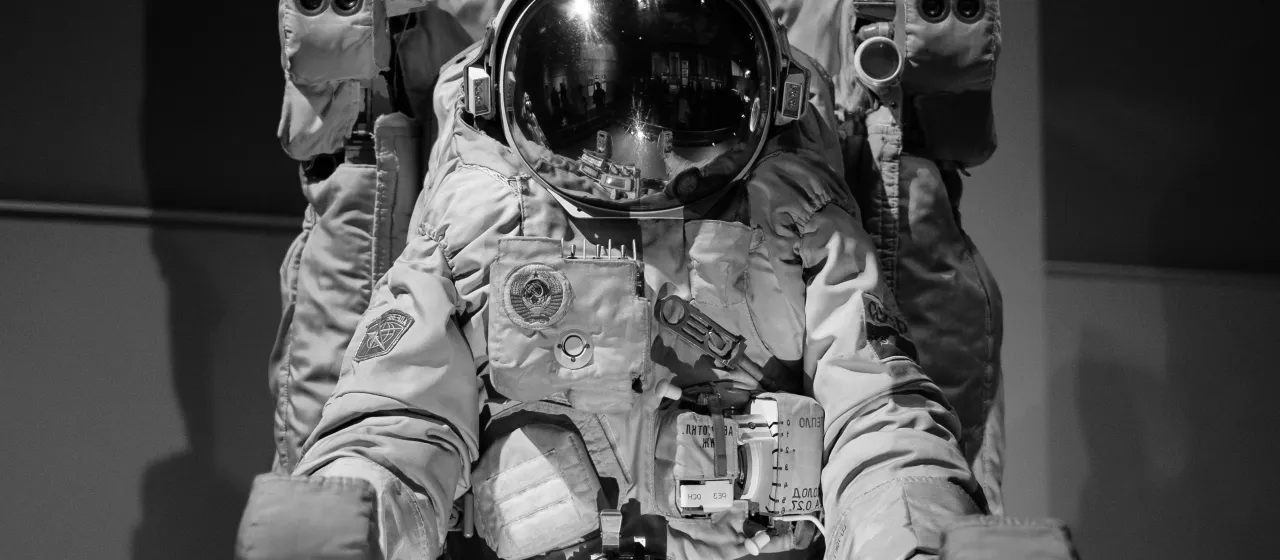
Image style: banner
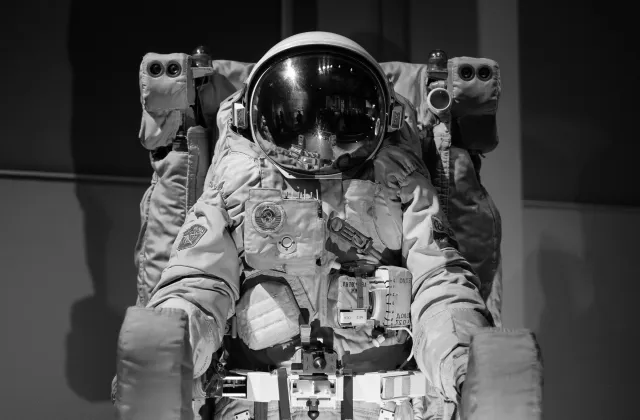
Image style: banner_md
Image style: banner_mobile
Image style: media_library
Image style: medium
Image style: pod
Image style: standard
Image style: standard_scale_and_crop
Image style: directory
Image style: gallery_card
Image style: gallery_slider
Image style: linkit_result_thumbnail
Image style: thumbnail
Image style: thumbnail_scale
Below are demo nodes rendered with all of the available view modes
Use the "Profile" content type to display staff, leadership, board members, or other people.
Social buttons
Yes
View mode: card
View mode: compact
Use the "Profile" content type to display staff, leadership, board members, or other people.
Social buttons
Yes
View mode: diff
View mode: directory
This is the default layout on your site. That means that when you create a new landing page, it will automatically use this layout.
Add posts (of any content type) to the "First" content channel on this landing page for their teasers to appear in a single column list below.
The “Post” post type is the default post type on your site. The majority of your content will most likely use the “Post” post type. Use this post type unless your content fits into a more specific category that fits in with another type.
When you want to share news articles from other publications, use the "News" content type. By default, this content type displays the content type, authored on date, and teaser.
In this layout, posts assigned to the "First" channel will display in a single column under the landing page content and posts assigned to the "Third" channel will display as Pods to the right.
In this layout, posts assigned to the "First" channel will display in a single column under the landing page content, and posts assigned to the "Second" channel will display in three columns underneath.
Resources and information to help you live well in Olmsted County.
There are different ways to display content within the post body. Here are a few different options you can use.
Heading 2
Headings are a good way to visually break up content. They are also used by assistive technology to create an outline of a webpage for users with disabilities. Make sure you use headings in the proper order; don't start body content with a Heading 3 or 4 instead of a Heading 2.
Heading 3
Heading 3s should be used as sub-headings underneath Heading 2s.
Heading 4
Heading 4s should be used as sub-headings underneath Heading 3s.
Heading 5
Heading 5s should be used as sub-headings underneath Heading 5s.
Heading 6
Heading 6s should be used as sub-headings underneath Heading 5s.
Block Quotes
Block quotes can be used to draw attention to short quotes within news articles, profile biographies, and more.
Here is an example of a block quote.
Editing Tools
You can also use common editing tools such as bold , italics , hyperlinks , and lists:
List item 1
List item 2
List item 3
Tables
You can create tables within body content as well. Tables should be used to display data, not as a text formatting tool. Keep tables succinct as they may require scrolling on mobile devices or small browsers.
Column 1
Column 2
Column 3
Column 4
Column 5
Data
Data
Data
Data
Data
Data
Data
Data
Data
Data
Data
Data
Data
Data
Date
Accordions
Here is content that is within the accordion element. Visitors will only see this when they expand the accordion.
Buttons
Buttons can be embedded within body content. They are most commonly used to link to registration or sign up forms or visiting another webpage.
Tabs
Tabs can be used to condense body content within a post.
Here is the content underneath Tab 1
Here is the content underneath Tab 2
Use the "Profile" content type to display staff, leadership, board members, or other people.
View mode: email
View mode: full
Use the "Profile" content type to display staff, leadership, board members, or other people.
Social buttons
Yes
View mode: gallery
Use the "Profile" content type to display staff, leadership, board members, or other people.
Social buttons
Yes
View mode: gallery_thumbs
Post Example
Post Subtitle
News Example
Read all about it!
Heading Waterfall, Accordions, Tabs, Tables, and More
Profile Example
Job title or position
View mode: pod
View mode: related_content
View mode: related_profile
View mode: rss
Landing page
|
Jan 03, 2020
The “Post” post type is the default post type on your site. The majority of your content will most likely use the “Post” post type. Use this post type unless your content fits into a more specific category that fits in with another type.
Post
|
Jan 03, 2020
When you want to share news articles from other publications, use the "News" content type. By default, this content type displays the content type, authored on date, and teaser.
News
|
Jan 03, 2020
Landing page
|
Jan 03, 2020
Landing page
|
Jan 03, 2020
Landing page
|
Jun 10, 2020
There are different ways to display content within the post body. Here are a few different options you can use.
Heading 2
Headings are a good way to visually break up content. They are also used by assistive technology to create an outline of a webpage for users with disabilities. Make sure you use headings in the proper order; don't start body content with a Heading 3 or 4 instead of a Heading 2.
Heading 3
Heading 3s should be used as sub-headings underneath Heading 2s.
Post
|
Jan 03, 2020
Use the "Profile" content type to display staff, leadership, board members, or other people.
Profile
|
Jan 03, 2020
View mode: search
Use the "Profile" content type to display staff, leadership, board members, or other people.
Social buttons
Yes
View mode: search_result
Single Content Channel: List
Single Content Channel: List
Post Example
Post Example
Post Subtitle
News Example
News Example
Read all about it!
Double Content Channel: List with Pods on the Right
Double Content Channel: List with Pods on the Right
Double Content Channel: List above 3 Column
Double Content Channel: List above 3 Column
Residents
Residents
Resources and information to help you live well in Olmsted County.
Heading Waterfall, Accordions, Tabs, Tables, and More
Heading Waterfall, Accordions, Tabs, Tables, and More
Profile Example
Profile Example
Job title or position
Use the "Profile" content type to display staff, leadership, board members, or other people.
View mode: teaser
Single Content Channel: List
Post Example
Post Subtitle
News Example
Read all about it!
Double Content Channel: List with Pods on the Right
Double Content Channel: List above 3 Column
Residents
Resources and information to help you live well in Olmsted County.
Heading Waterfall, Accordions, Tabs, Tables, and More
Profile Example
Job title or position
Use the "Profile" content type to display staff, leadership, board members, or other people.
View mode: teaser_pod
Single Content Channel: List
Post Example
News Example
Double Content Channel: List with Pods on the Right
Double Content Channel: List above 3 Column
Residents
Heading Waterfall, Accordions, Tabs, Tables, and More
Profile Example
View mode: title_only
Use the "Profile" content type to display staff, leadership, board members, or other people.
Social buttons
Yes
View mode: token